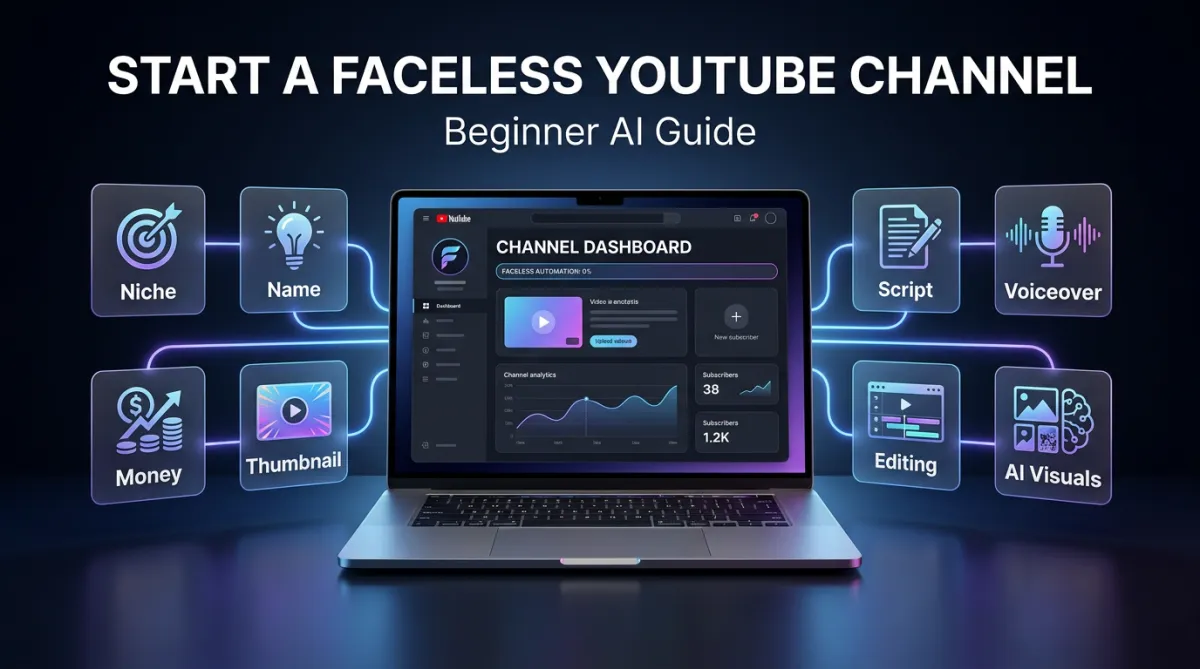
How to Start a Faceless YouTube Channel With AI in 2026: A Beginner's Guide
How to Start a Faceless YouTube Channel With AI in 2026: A Beginner's Guide
Starting a faceless YouTube channel is one of the most accessible ways to build an online audience without ever appearing on camera. You don't need to be a natural presenter, you don't need a studio, and you don't need expensive equipment. And thanks to modern AI tools, you can now create scripts, voiceovers, visuals, thumbnails, and full video concepts faster than ever before.
But even though the tools are easier to use, the process still matters. A successful faceless YouTube channel isn't about uploading random AI-generated videos — it's about a strong niche, a repeatable content system, good titles and thumbnails, and a clear path to monetization.
This guide walks you through the full beginner process, from choosing a niche to creating your first video with AI and eventually making money from your channel.
TL;DR: To start a faceless YouTube channel with AI, pick a niche that passes the three-question test, choose a simple channel name and branding, then build your first video in five steps — idea, script, voiceover, assets, assembly. Use AI tools like ChatGPT for scripts, ElevenLabs for voiceovers, and AI image generators for visuals. Nail your title and thumbnail, upload with the right AI disclosure, and publish consistently. Monetize through AdSense, affiliate marketing, digital products, and sponsorships.
What You'll Learn
How to choose a profitable faceless niche
How to name and brand your channel
How to create your first video with AI (step by step)
How to write scripts, generate voiceovers, and collect visuals
How to make titles and thumbnails that get clicks
How faceless channels actually make money
Why most beginners quit too early — and how to avoid it
Step 1: Choose the Right Niche
The first and most important step is choosing your niche. This is where many beginners get stuck — there are so many possible directions that it quickly becomes overwhelming.
Instead of hunting for the "perfect" niche, use this simple three-question framework. Ask yourself:
Can I make 100 videos in this niche without showing my face?
Are people already watching this type of content on YouTube?
Is there a clear path to money later?
If the answer to all three is yes, the niche is worth considering.
For example, faceless product review channels work well because people already watch product reviews, the videos don't require showing your face, and there's a clear monetization path through affiliate marketing and eventually YouTube ads. The same logic applies to many other faceless niches. The goal is demand, content depth, and monetization potential.
If you want a deeper list of proven angles to run through this test, see our guide to 7 faceless YouTube channel ideas you can start with AI.
Popular Faceless YouTube Niches
There are many proven niches that already work well for faceless channels. Here are some of the strongest options.
1. Storytelling Channels
Storytelling is a broad but powerful category — scary stories, kids' stories, mystery, historical stories, documentary-style content, true crime, and business documentaries all fit.
The format is simple: write or generate a script, generate a voiceover, then pair the narration with images, animations, stock footage, or AI-generated visuals. Scary story channels often use three short stories in one video paired with dark, atmospheric AI images. Documentary channels use AI-generated cinematic images, subtle animation, and dramatic music to create a premium feel without filming anything.
This niche works because stories naturally hold attention. With a strong hook and good pacing, viewers want to know what happens next.
2. Compilation and Listicle Videos
Compilation videos — Top 10s, best products, weirdest facts, biggest mistakes, things you didn't know — are beginner-friendly because they're easy to structure. Each video has a clear list, and each item gives the viewer another reason to keep watching.
A product channel might make "Top 5 Gadgets for Your Home Office" or "5 Amazon Products That Are Actually Useful." You can generate the script with AI, use an AI voiceover, and collect product images or stock footage for each section. This niche is also monetization-friendly, since listicles fit affiliate marketing naturally.
3. Tutorial and Screen Recording Channels
Screen recording channels are one of the simplest faceless types to start. You only record your screen while explaining how to do something — software tutorials, AI tool tutorials, app walkthroughs, editing, design, or productivity.
You could cover Photoshop, Canva, ChatGPT, CapCut, Notion, or any tool people are already searching for. The big advantage is that the content feels original and practical — viewers are there to solve a specific problem. It monetizes through affiliate links, software partnerships, digital products, templates, courses, and ads.
4. Hands-Only Demonstration Channels
Some faceless channels show real-world activity without the creator's face — restoration, cooking, crafts, repair, woodworking, product testing, or cleaning. The process itself is interesting to watch. You show your hands, the object, and the result. This is ideal if you have a practical skill or hobby you can record.
Step 2: Pick a Channel Name
Once you have a niche, choose a channel name — but don't overcomplicate it. Beginners waste weeks chasing the perfect name when content matters far more.
A good channel name is clear, memorable, relevant to the niche, easy to say and spell, and broad enough to allow future content.
You can use ChatGPT to generate ideas. For a channel about ancient business moguls and historical wealth, you might prompt: "Give me 20 channel name ideas for a faceless YouTube channel about ancient business moguls, historical wealth, empires, and power." That could produce names like Empire of Gold, The Wealth of Empires, or The Original Billionaires.
Then create a new Google account specifically for the channel. This keeps your YouTube channel, email, brand deals, and affiliate accounts separate from your personal Gmail.
Step 3: Set Up Your Channel Branding
After creating the channel, set up basic branding: a profile picture, a banner image, a channel handle, and a short description. Don't overthink it — your branding only needs to look clean and legitimate to start. You can improve it later.
AI image tools can create both your logo and banner quickly. Prompt with the channel name, niche, style, and mood — for example: "Create a cinematic YouTube channel logo for a channel about ancient business moguls and historical wealth. Use a premium gold and dark navy style." Then ask for a matching wider banner with the same atmosphere.
The goal isn't perfection. It's making the channel look credible enough to start uploading.
Step 4: Create Your First Video
A simple faceless video breaks down into five steps:
Idea
Script
Voiceover
Asset collection
Final assembly
Most of this can be streamlined with AI, but you still guide the creative direction. You don't want generic AI content — you want to use AI to make better videos faster.
Step 5: Generate Video Ideas With AI
Use AI to brainstorm video ideas inside your niche. For an ancient-moguls channel, you might ask: "Give me 15 video ideas for a faceless YouTube channel about ancient business moguls, historical wealth, trade, empires, and power."
You might get ideas like "King Solomon: The Richest Man in the Ancient World," "The Merchant Who Controlled an Empire," or "The First Billionaires in History."
Choose an idea with a strong curiosity hook — something that makes people want to click before they even watch.
Step 6: Write the Script With AI
AI can write the script, but don't just ask it to "write a script" and accept the first result — that produces something short and generic.
A better method is to build the script in sections. First ask for a detailed outline: "I want to create a 15-minute YouTube video titled 'King Solomon: The Richest Man in the Ancient World.' Give me a detailed section-by-section outline." Then work through the script one section at a time, starting with the opening hook.
A good faceless script includes a strong opening hook, clear storytelling, smooth transitions, visual moments, curiosity loops, simple language, and a satisfying ending.
Don't rely on AI completely. Read the script out loud and edit anything that sounds robotic or repetitive. The script is the foundation — if it's weak, the visuals won't save it.
Step 7: Generate the Voiceover
The fastest path is an AI voiceover. Tools like ElevenLabs can turn your script into natural-sounding narration in minutes, which is what lets one person produce videos at scale. Choose a voice that fits the niche — a documentary channel needs a calm, deep, cinematic voice; a tutorial channel needs something clear and friendly.
Using AI voice has real advantages: it's fast, consistent, and removes the biggest production bottleneck for most beginners.
That said, using your own voice is a strong upgrade if you're comfortable with it. It adds authenticity, builds trust, and helps separate your channel from low-effort AI content. You don't need expensive gear — a basic mic or even a phone recording in a quiet space (a closet full of clothes reduces echo well) can sound clean. Many successful faceless creators start with AI voice to ship quickly, then test their own voice later. Either path works.
Step 8: Collect Your Visual Assets
Asset collection means gathering the images, video, animations, screenshots, or graphics for the video. What you need depends on the niche.
For storytelling or documentary videos: AI-generated images and clips, stock footage, historical images, maps, slow zooms, and cinematic backgrounds. For product or listicle videos: product photos and videos, screenshots, and comparison graphics. For tutorials: screen recordings, cursor highlights, zoom-ins, and text callouts.
A simple workflow is to go through the script line by line and find or create a visual for each section. If the script says "thousands of years ago, there was a man so wealthy that silver was considered worthless," you generate an image of an ancient king surrounded by gold and merchants. Mark each section complete as you go so you don't lose track.
Step 9: Assemble the Video
With the script, voiceover, and assets ready, assemble the video. Beginner-friendly editors include iMovie, DaVinci Resolve, CapCut, Canva, Adobe Express, Final Cut Pro, and Premiere Pro. The software matters less than the process.
Drop your voiceover into the timeline first, then place visuals over it so they match what's being said. Make still images more interesting with slow zoom-ins and zoom-outs, gentle movement, light effects, text overlays, subtle transitions, and cinematic sound effects.
You don't need complex editing. The goal is to avoid leaving a static image on screen too long — even small movement makes a big difference.
Step 10: Add Music
Music is especially important for storytelling, documentary, and emotional videos — it sets the mood and helps the viewer feel the story. A mystery video needs suspense, a documentary needs cinematic scoring, a self-improvement video needs something motivational.
Use free music libraries or paid platforms, and make sure you have the rights to the track — never use copyrighted songs. Keep the music volume low enough that it supports the narration without overpowering it.
Step 11: Create the Title and Thumbnail
Titles and thumbnails decide whether people click — but you don't need to reinvent the wheel. Study successful channels in your niche first: how they structure titles, which words they use, how simple their thumbnails are, what colors stand out, and which thumbnails have the most views. Model what works without copying anyone exactly.
In the historical documentary niche, many thumbnails are simple: one dramatic image, a few bold words, and strong contrast. A King Solomon video might pair a cinematic image with text like "Richest Man Ever" or "Ancient Wealth." Keep it readable at small size — one strong image, a few words, no clutter.
The title should create curiosity while clearly telling the viewer what the video is about, like "The Ancient King Worth $2 Trillion." The thumbnail and title should work together rather than repeat the same words.
Step 12: Upload the Video Correctly
When uploading, include a strong title, a custom thumbnail, a clear description, relevant keywords, any required disclosures, and proper playlist placement.
Important: if you used generative AI in a way YouTube requires you to disclose, select the appropriate altered or synthetic content option during upload. This keeps your channel transparent and in good standing.
How Faceless YouTube Channels Make Money
Many people start faceless channels to make money online. That's possible — but be realistic. This isn't get-rich-quick. Building a channel takes time, testing, consistency, and patience. Here are the main income streams.
1. YouTube AdSense
Once your channel meets YouTube's monetization requirements, YouTube places ads on your videos and pays based on views, watch time, audience, niche, and advertiser demand. AdSense can become strong with consistent views, but it shouldn't be your only plan.
2. Affiliate Marketing
Affiliate marketing is one of the best ways to monetize early — you recommend a product, and earn a commission when someone buys through your link. It works especially well for product reviews, tech and software tutorials, book reviews, and gear-based niches. The big advantage: you can start before your channel qualifies for AdSense by placing links in your descriptions.
3. Digital Products
Once you have an audience, sell your own digital products — ebooks, templates, checklists, courses, Notion dashboards, prompt packs, or paid communities. This works best when your channel solves a specific problem: a tutorial channel sells templates, a self-improvement channel sells a habit tracker, a finance channel sells budgeting spreadsheets.
4. Sponsorships and Brand Deals
As your channel grows, companies may pay you to promote products — common in tech, finance, software, productivity, and education. The more targeted your audience, the more valuable your channel is to sponsors.
5. Your Own Physical Products or Books
Some faceless channels promote their own physical products or books. A kids' storytelling channel could publish children's books and make videos previewing them. A fitness channel could sell workout plans. The channel becomes a traffic source for the product.
Why Most Beginners Quit Too Early
One of the biggest reasons people fail with faceless YouTube is quitting too soon. They upload a few videos, get low views, and assume the strategy doesn't work.
But YouTube is often slow at the start. Some videos do nothing for weeks or months, then suddenly gain traction. That's why consistency matters — one video can change the direction of an entire channel, but only if you keep publishing and improving.
Your first videos won't be perfect, and that's normal. Focus on better ideas, stronger hooks, better pacing, cleaner thumbnails, more clickable titles, higher-quality visuals, and consistent publishing. Small improvements compound.
Frequently Asked Questions
Can you start a faceless YouTube channel with no experience? Yes. AI tools handle the technical work — ChatGPT for scripts, ElevenLabs for voiceovers, and AI image generators for visuals — so beginners can focus on choosing a strong niche and writing good hooks rather than on production skills.
How much does it cost to start a faceless YouTube channel? You can start for free or close to it. Many AI tools have free tiers, free editors like CapCut and DaVinci Resolve are powerful, and free music libraries cover your audio. Costs rise only as you upgrade voiceover, image, or editing tools.
How long does it take to make money on a faceless YouTube channel? Most channels take three to six months of consistent posting before meaningful growth. Affiliate marketing can earn before you hit AdSense eligibility, but ad revenue requires meeting YouTube's monetization thresholds first. Consistency matters far more than speed.
Do I have to use AI voice, or can I use my own? Either works. AI voice (like ElevenLabs) is fastest and lets you scale quickly. Your own voice adds authenticity and trust if you're comfortable recording. Many creators start with AI voice and test their own later.
Does YouTube allow faceless AI channels? Yes, as long as you follow the rules: use licensed or copyright-free visuals and music, avoid reused or low-effort content, and disclose synthetic or altered content during upload when required. Transparency keeps your channel in good standing.
Final Thoughts
Starting a faceless YouTube channel is one of the best ways to learn content creation, storytelling, audience building, and online marketing. AI tools make the process faster, but they don't replace strategy. The channels that win aren't the ones generating the most content — they're the ones that choose a strong niche, create valuable videos, package them well, and stay consistent long enough to learn what works.
Start with a niche that passes the three-question test: Can you make 100 videos without showing your face? Are people already watching this content? Is there a clear path to money later?
If the answer is yes, create the channel, make your first video, publish it, and keep improving. You don't need everything to be perfect before you start. You just need to start.
To begin your Faceless AI YouTube journey, join The 30 Day AI Viral Challenge today.
